The video call does not drop in the hallway.
She left her desk with the laptop open and walked into the room. The Wi-Fi switched access points on its own, without dropping the conversation.


A stable network across your whole space, with guests kept apart from your own network.
See all solutionsSolutions
Internet and Wi-FiSmart camerasAccess controlAlarmsComfort and automationRadios and field teamsOperations centerMaintenance and supportFor your space
Companies and officesResidential buildingsStores and chainsIndustry and logisticsHotels and clinicsParking lotsSelf-service laundromatsHomesPrivate security companiesARX
Custom softwareHow we workToolsBlogClient areaTalk to ARX
Internet and Wi-Fi
Everything you use goes through the network: the video call, the register, the camera, the door. When it is designed, nobody remembers it exists.
A network is the set of cables, fiber, rack and Wi-Fi access points that carries the internet to every corner of the space. It is the foundation for everything: without it, no camera, radio or operations center works. ARX designs, installs and maintains networks for homes, stores, residential buildings and businesses, with measured Wi-Fi and guests on a separate network.
Implementation: State of São Paulo: the capital, inland cities and the coastDesign and consulting: all of BrazilWe serve foreign companies that operate in Brazil
In your day
When the network is done right, nobody talks about it. The meeting does not freeze, the register does not stop, the camera records. You only notice the network when it is missing.
She left her desk with the laptop open and walked into the room. The Wi-Fi switched access points on its own, without dropping the conversation.
The main internet connection wavered and the second one took over by itself. The line did not even notice.
Whoever is waiting for their laundry uses the guest Wi-Fi. The machines and payment stay on another network, which they cannot see.
The Wi-Fi access point sits on the hallway ceiling, connected by cable. The signal arrives in full where the living room router never reached.
When it fails
The three problems we find most often, where they come from and how we avoid them.
The Wi-Fi access point was placed where there was an outlet, with power at maximum. Strong signal near the device, weak where people work.
How ARX avoids itWe design the coverage on the floor plan, counting people and walls. After installing, we measure the signal by walking through the space and adjust whatever is needed.
Unlabeled cables, splices hidden in the ceiling and a rack nobody understands anymore. Every fault becomes a hunt for the cable.
How ARX avoids itEach cable is labeled at both ends and tested one by one. You keep the map: which outlet connects to which rack port.
One network for everything, with the same password for employees, guests, cameras and the register. Whoever gets into one part reaches all of them.
How ARX avoids itWe separate the network by function: work, guests, cameras and payment. The visitor browses the internet and sees nothing else.
How ARX does it
How many people use the network at peak hours, where they are and what they do. You do not need to know anything about routers or speed.
You receive: the survey of the space and its needs, in writing.
The cable path, the rack location and the position of each Wi-Fi access point are defined before the work, taking walls, slabs and distances into account.
You receive: the floor plan with the routes and access points.
Copper cable within the standard's distance limit, labeled at both ends and tested point by point. An organized rack, with room to grow.
You receive: the port map and the test results.
We walk through the space measuring the actual signal and adjust channels and power. The networks stay separate and the passwords stay with you.
You receive: the network up and running, the passwords and someone to look after it afterward.
Equipment
Examples of what we install. The final choice depends on your space and your budget.
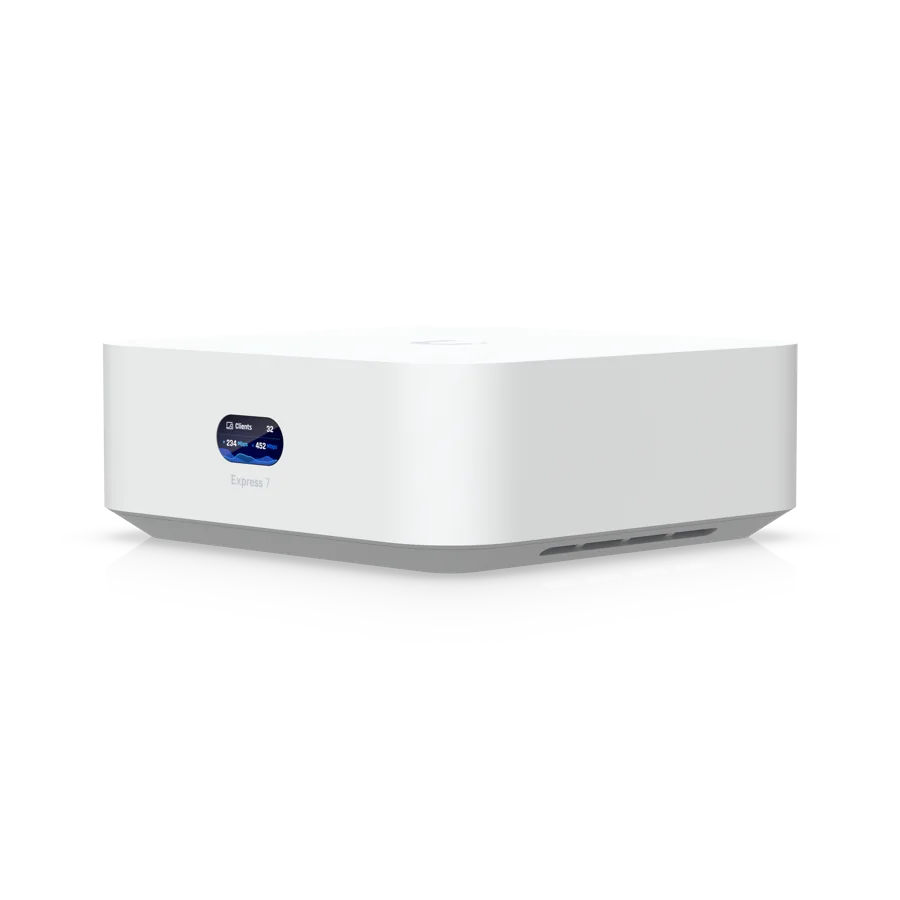
It's the front door of the internet: protects the network, separates visitors and already delivers Wi-Fi.

Spreads Wi-Fi throughout the space. Sits on the ceiling, discreet, and serves many people at once.
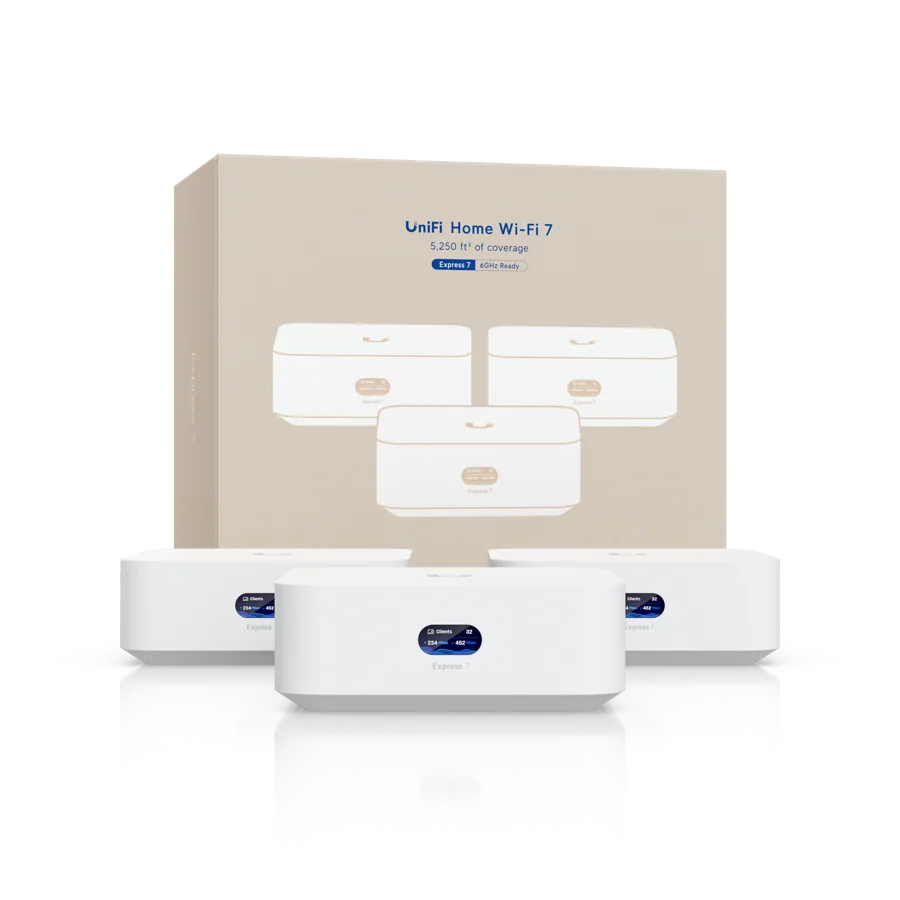
A set of access points that talk to each other to cover a home, shop or small office.
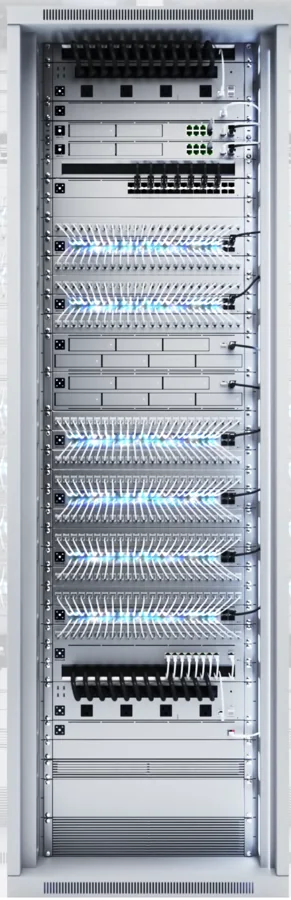
Where everything comes together: internet, switches, recorder and UPS, each cable with a name and destination.
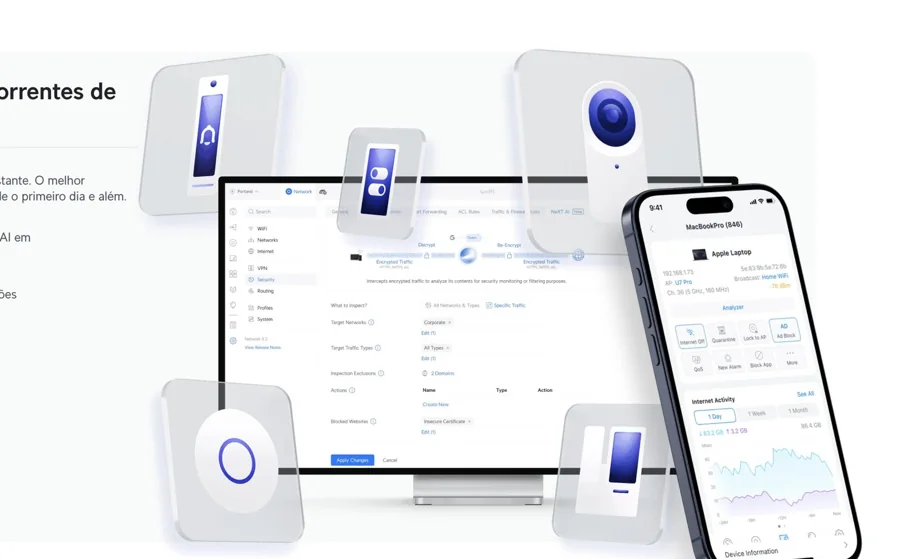
One screen to view and adjust the network, cameras and access, on a computer or phone.

Network, cameras, doors and alarm from the same family, managed in one place.

 Network, Wi-Fi and connection security.
Brands
What hardly anyone tells you
One Wi-Fi access point in the right place covers more than three in the wrong place. With power at maximum, the devices just get in each other's way. That is why the project starts on the floor plan, not with the purchase.
Fiber usually arrives fine at the door. The bottleneck is from there inward: old cable, splices, repeaters that drag the speed down. Switching providers does not fix what belongs to the building.
There is copper-clad aluminum cable, similar on the outside. It does not meet cabling standards and heats up when it carries power to cameras and Wi-Fi access points. It is worth asking which cable is in the proposal.
For your space
Because they are different things. The speed you pay for reaches the provider's device. From there on, it is the internal network that carries the signal: cables and Wi-Fi access points. If there are too few of them or they are badly placed, the fast internet does not reach the rooms.
In one room, sometimes. In a large home, store or office, no. The repeater receives the already weak signal and passes it on more slowly. What solves it is running a cable to each Wi-Fi access point, installed on the ceiling, in the place defined by the project.
For the main network, no. The right approach is a network just for guests, which gives access to the internet and nothing else. That way the guest browses without reaching computers, printers, cameras or the payment system.
Often, yes. We test the existing cables, see what the rack can hold and what the equipment still delivers. What is good stays. In a retrofit project, the replacement is done in stages, without shutting the place down.
Most of the time, no. We use the existing conduit, ceiling and pathways. If construction or renovation is planned, the right time is before the drywall: the cable stays hidden and the work is smaller.
Installation, with an on-site team, is done in the State of São Paulo: the capital, the interior and the coast. Design, consulting and retrofit design, on the other hand, serve all of Brazil.
Tell us what you want to solve. ARX replies clearly, with no obligation.
We use cookies to understand how the site is used and to measure our ads. You choose.